Sitara
See beta access

A few steps. Your own space.

01

Make your private space.

Choose and confirm your credential. Save your recovery words and check them.

02

Protect and open one file.

Add a file, wait for its verified receipt, then open the stored copy.

03

Decide what happens next.

Keep it private, add it to a Showcase, or prepare a separate sharing copy. Permissions appear only when needed.

See inside

Real screens. A calmer experience.

Sitara 1.5 candidate screens. Sample files are illustrative; public release is still pending.
See inside
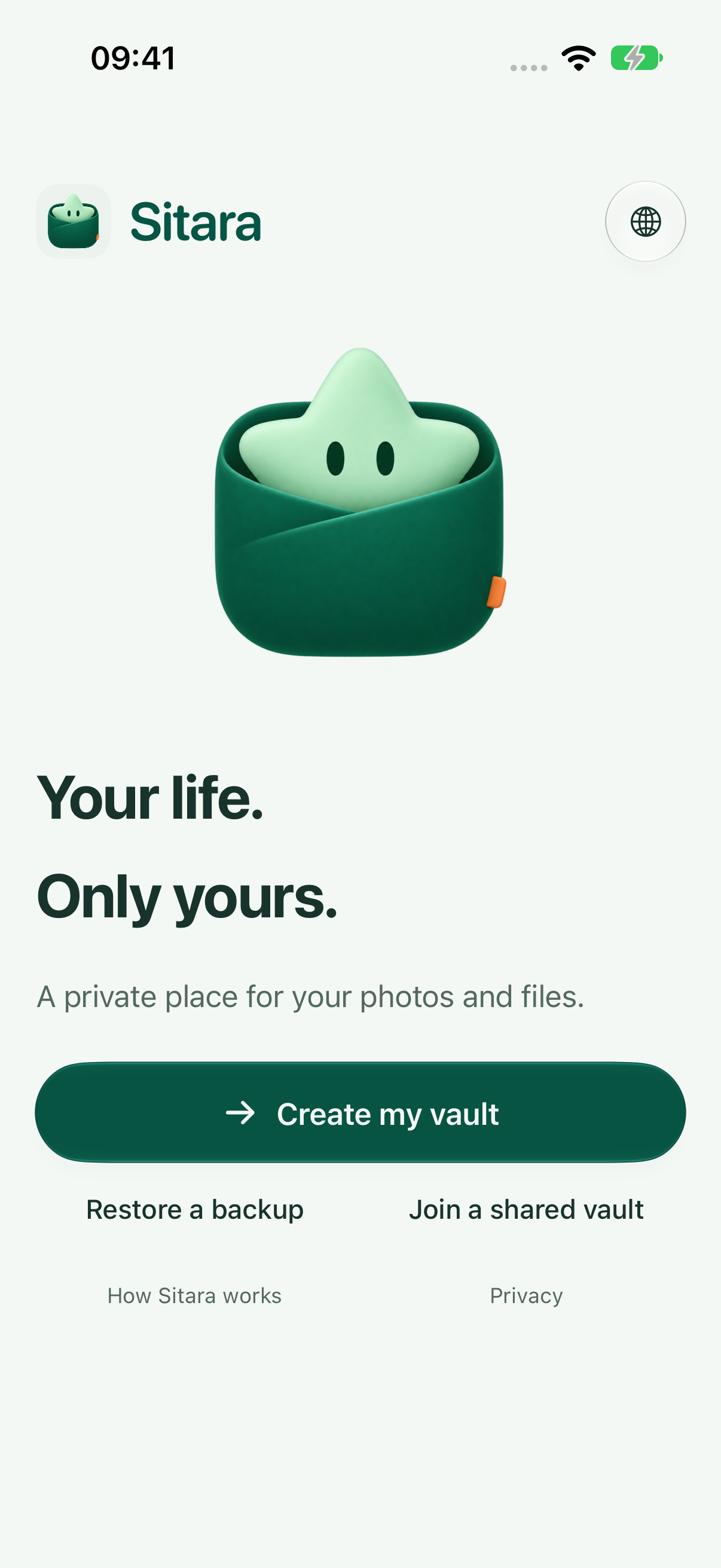
Sitara welcome on iPhone
Sitara welcome on iPhoneSitara 1.5 (9) · actual app capture
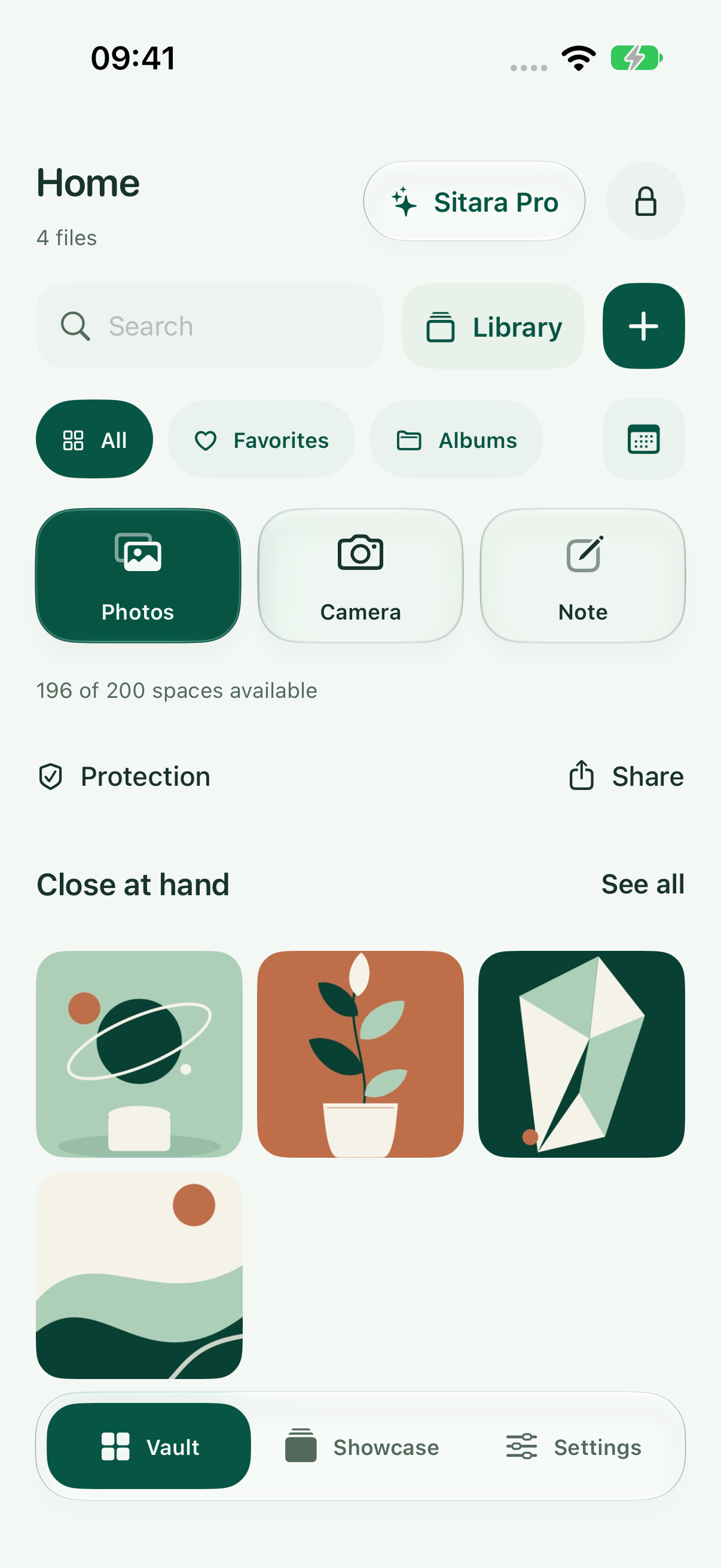
Sitara vault on iPhone with sample photos
Sitara vault on iPhone with sample photosSitara 1.5 (9) · illustrative sample content
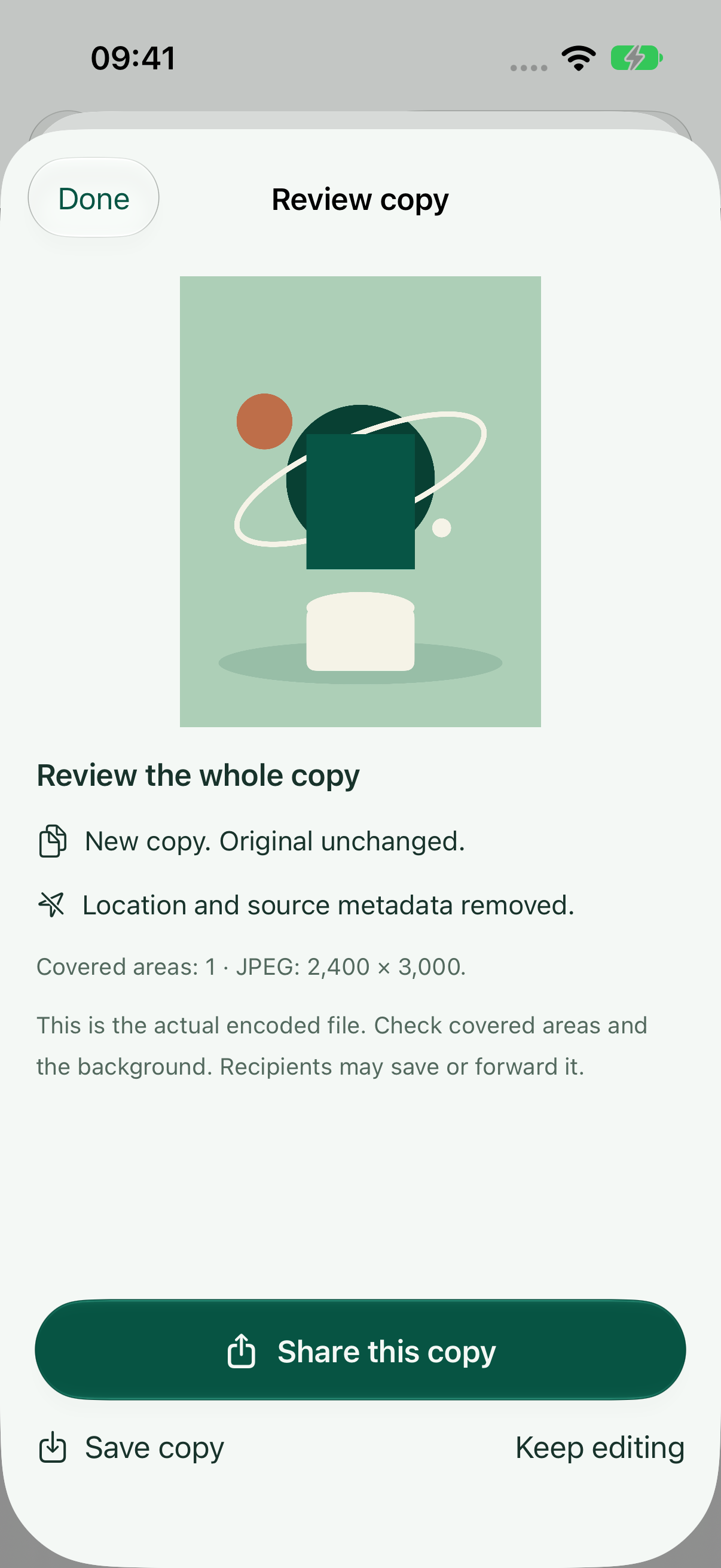
Sitara Check encoded-copy review on iPhone
Sitara Check encoded-copy review on iPhoneSitara 1.5 (9) · illustrative sample content
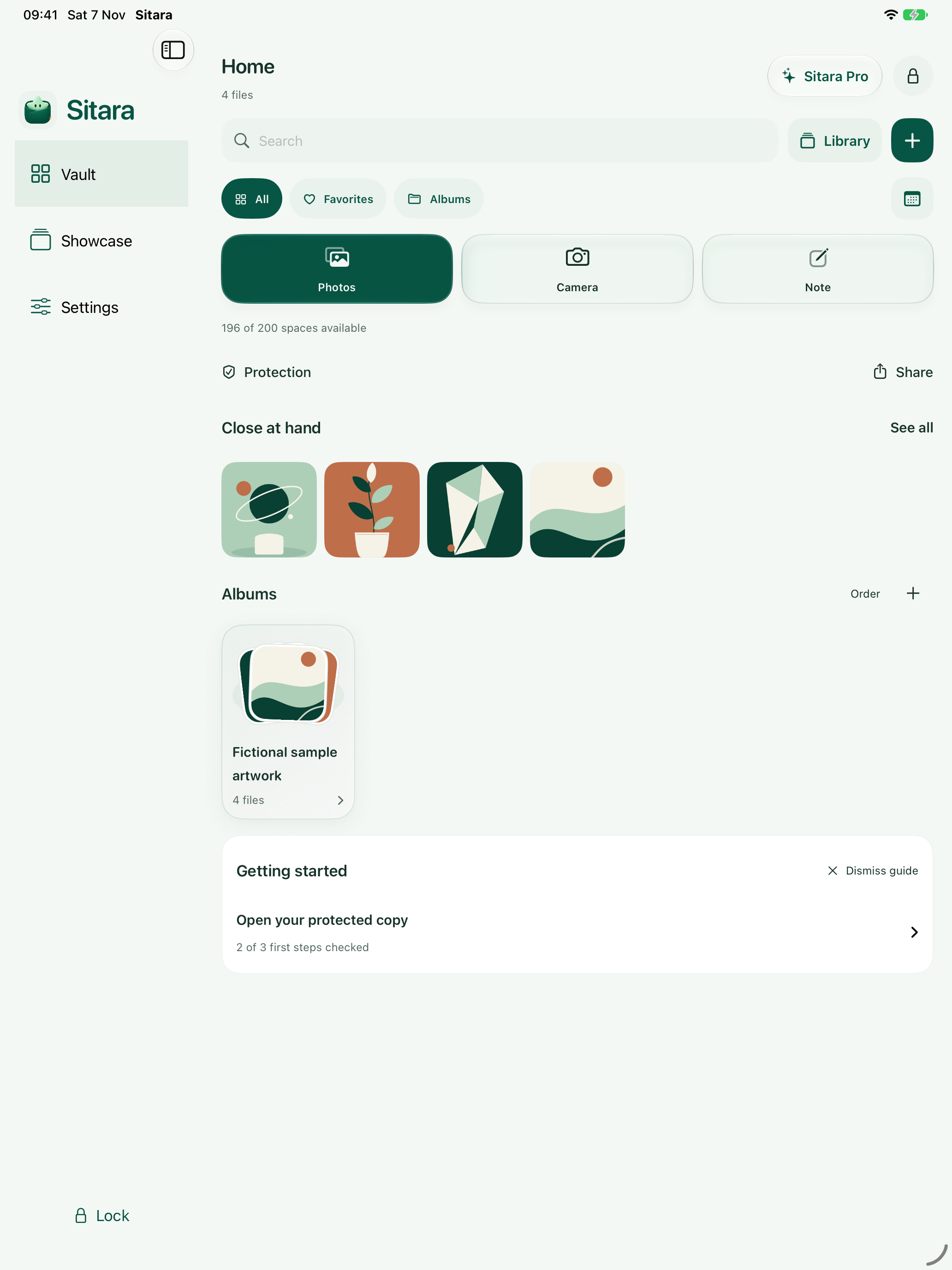
Sitara vault on iPad with sample content
Sitara vault on iPad with sample contentSitara 1.5 (9) · illustrative sample content

Keep what matters close.

Your private space, on iPhone and iPad.
See beta access
Private iPhone & iPad beta · iOS 17+support@ummahsignal.com